Use it

The dashboard

A guided tour of the local, offline-first dashboard: the fleet overview, per-repo anatomy, the architecture graph, blast radius, and generating a wiki.

The dashboard is the human window into everything contextlake builds: a local, offline-first single-page app over your knowledge store. No accounts, no cloud, no build step, one command and it opens in your browser. Read-only by default; see §11 for the opt-in write actions and §12 to ask it questions directly.

New here? Skim QUICKSTART first. For what the graph/wiki/search tiers actually do, see knowledge-layer.md.

flowchart LR
  G[("the code graph")] --> A(["Fleet, Repo, Diagrams,
Architecture, Blast radius, Path"]) W[("the generated wiki")] --> B(["a repo's page, and its Wiki tab"]) G --> C(["Chat: a free graph router,
with opt-in LLM prose"]) P["this machine and this process,
not the graph"] --> D(["MCP console, Settings"])
a cylinder is something that persists a rectangle is something that runs a rounded box is a start or an end point

Every read-only view here is a window onto a tier that index, connect or wiki already built, so nothing on this page runs an extraction pass of its own. MCP console and Settings are the odd pair out: they report on this machine and this process, not on your code.

1. Get some data in (or don't)#

The dashboard reads your indexed store. If you've already run contextlake kb index (or contextlake bootstrap), you're set. Just want to look around first? Every screen below works against a bundled, generic demo fleet, no setup, no real data:

contextlake kb dashboard --serve --sample      # a fictional "acme" fleet, served live

A static build of this same --sample export is also hosted as a public, read-only live demo on the project site (linked from the homepage and docs footer). It's regenerated by site/deploy.sh with contextlake kb dashboard --site site/demo --sample, the exact command above with --site in place of --serve, no separate script.

To build against your own repos, index a workspace once:

contextlake kb index --workspace ~/work        # or `contextlake bootstrap` for the full pipeline

2. Launch it#

contextlake kb dashboard --serve --open         # live, against your store; opens your browser
Flag What it does
--serve Run it live against your store (everything on demand, no caps).
--site DIR Export a static file://-safe copy (a representative slice).
--repos PATTERN --site only: include just the repos whose id matches a comma-separated glob/substring pattern.
--sample Build from the bundled demo fleet, guaranteed generic, safe to share.
--anonymize For a real-store --site: hash authors, drop URLs + prose (shareable).
--open Open the result in your browser.
--group-depth N How many namespace path segments deep to group repos in the fleet overview (default 1). Raise it to split one big flat group into finer sub-groups.
--allow-mutations --serve only: also expose sync/add-repo/MCP-server actions (see §11). Loopback host only; refused with --sample.
--workspace DIR --allow-mutations: where Add repo clones new repos (default: alongside the store).
--llm-chat --serve only: the Chat tab's free graph-router answers work regardless; this additionally sends them to the configured [llm] provider for prose (see §12). Real time/token cost per question. Loopback host only.
--host HOST --serve only: bind address (default 127.0.0.1). See §11 for what a non-loopback host costs you.
--port PORT --serve only: bind port (default 8765), so the default URL is http://127.0.0.1:8765.

Browsing your whole fleet? Use --serve, it renders each repo on demand with no caps. A --site export is a fixed, shareable slice.

Warning

Before you share a --site export: a real-store export inlines repo names, git-author identities, and connector URLs, so it prints a "do not publish unscrubbed" warning. For anything you intend to share, build it with --anonymize (hashes author identities, drops external URLs + README/wiki prose) or --sample (the bundled, guaranteed-generic demo fleet).

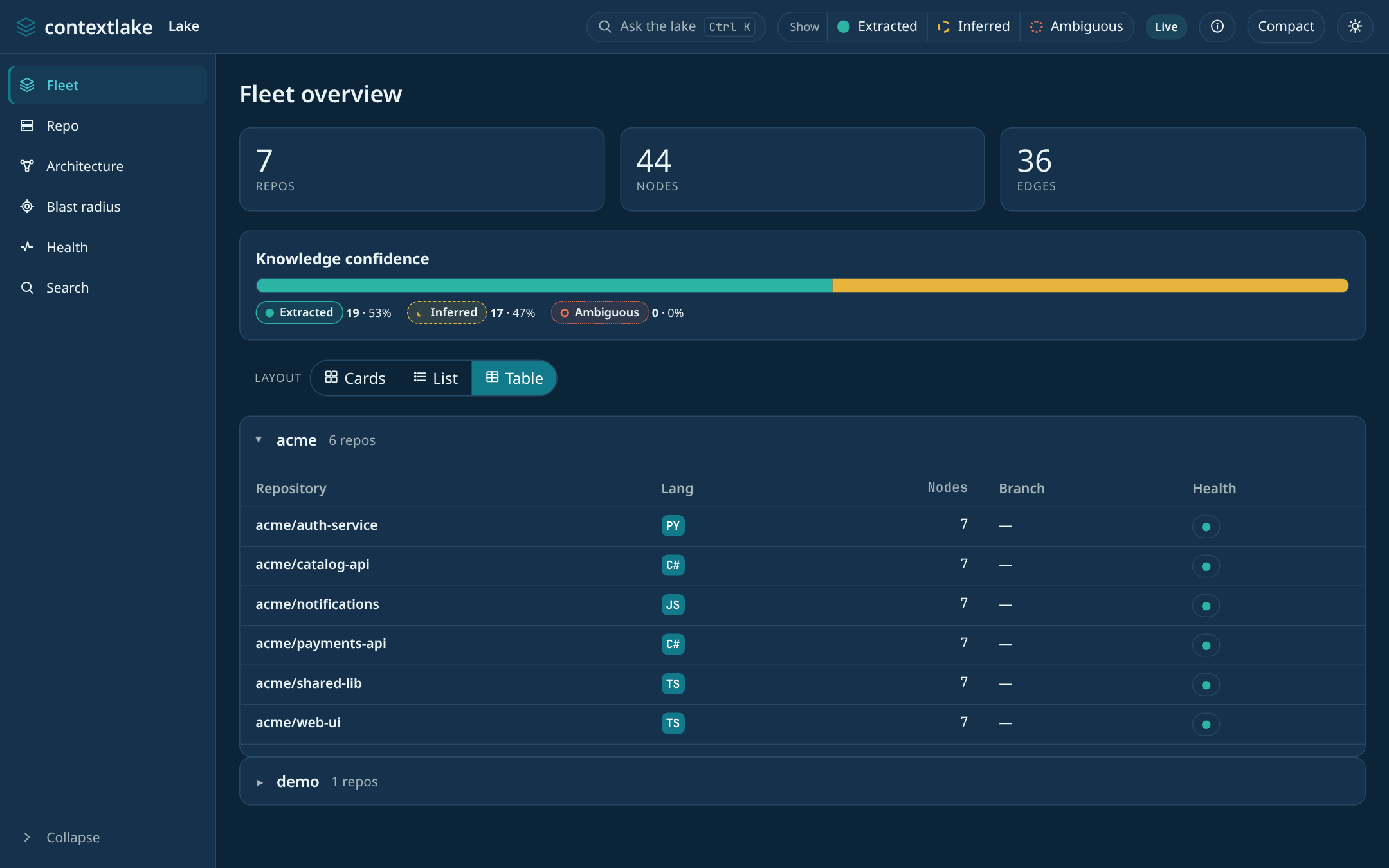
3. The fleet overview#

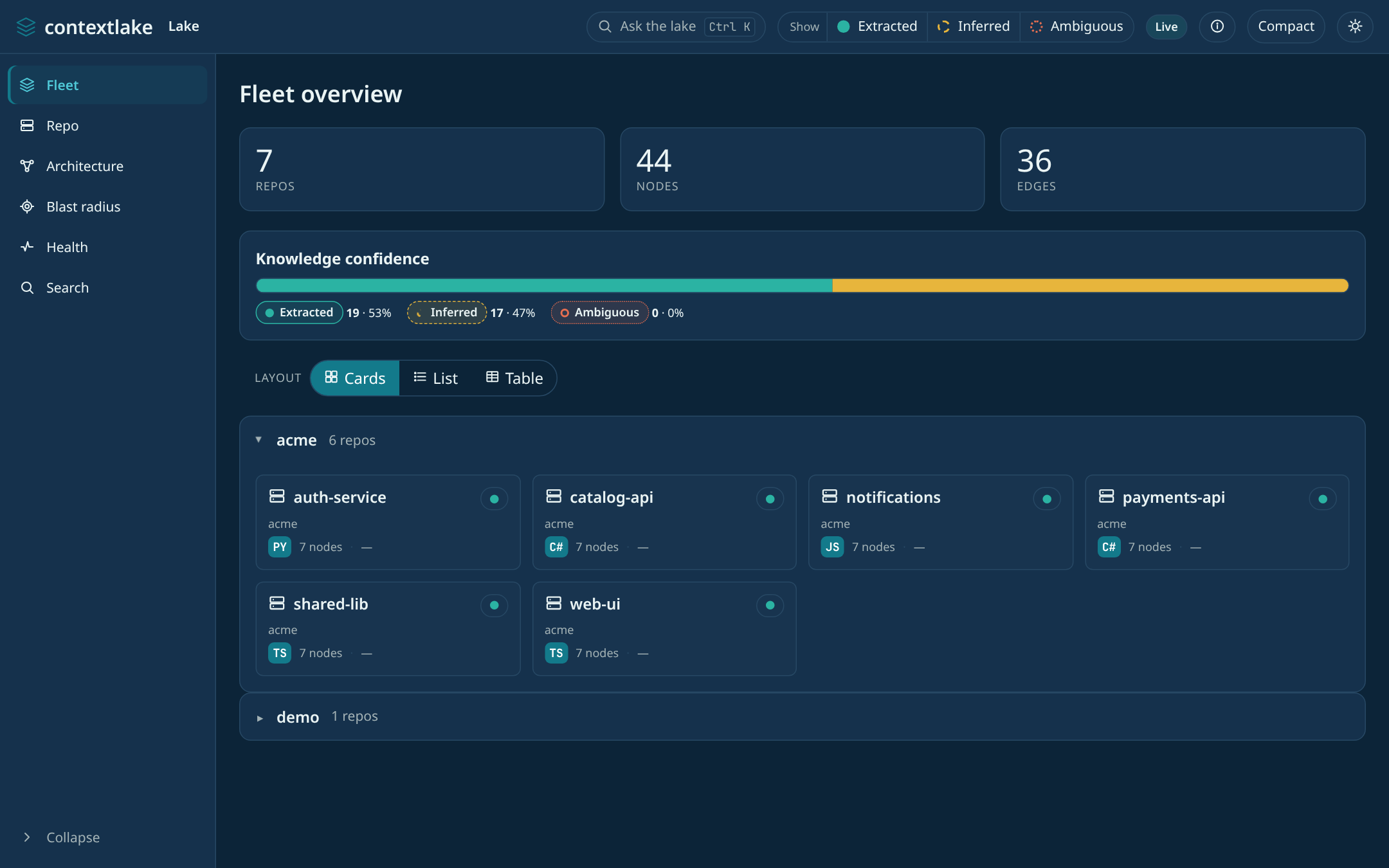
Stat cards, a knowledge-confidence bar, and your repos grouped by namespace.
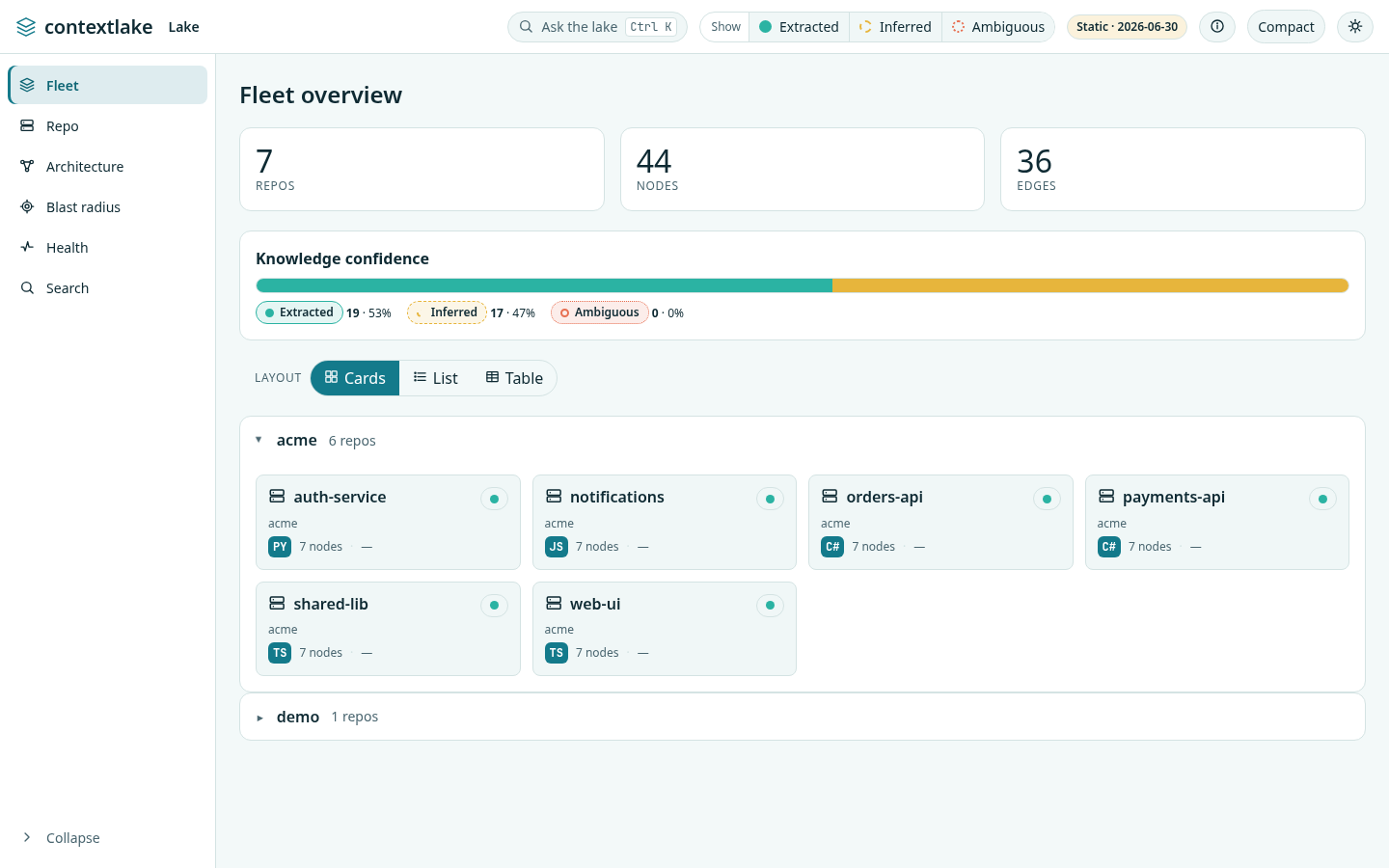
Fleet overview, cards layoutFleet overview, cards layout

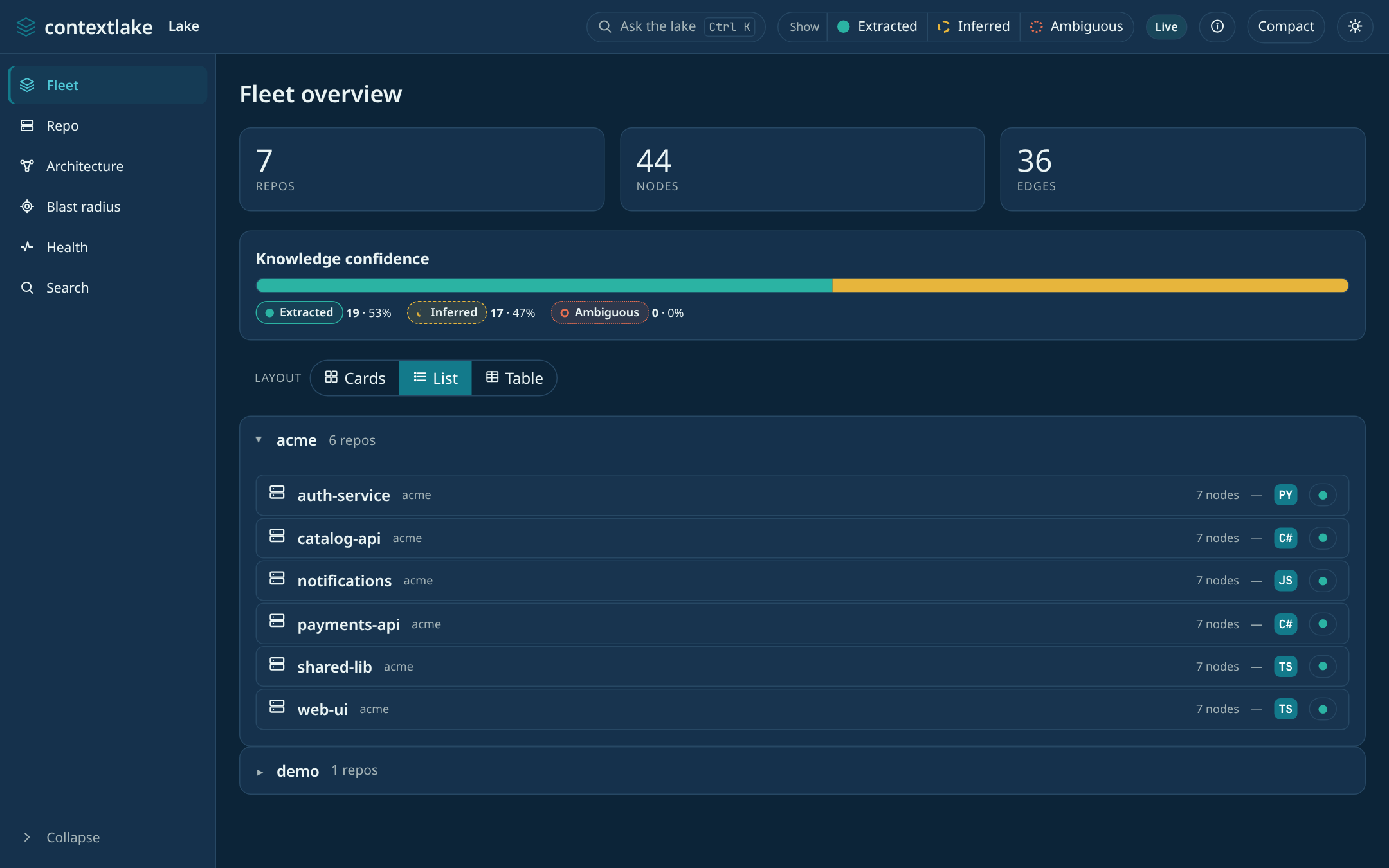
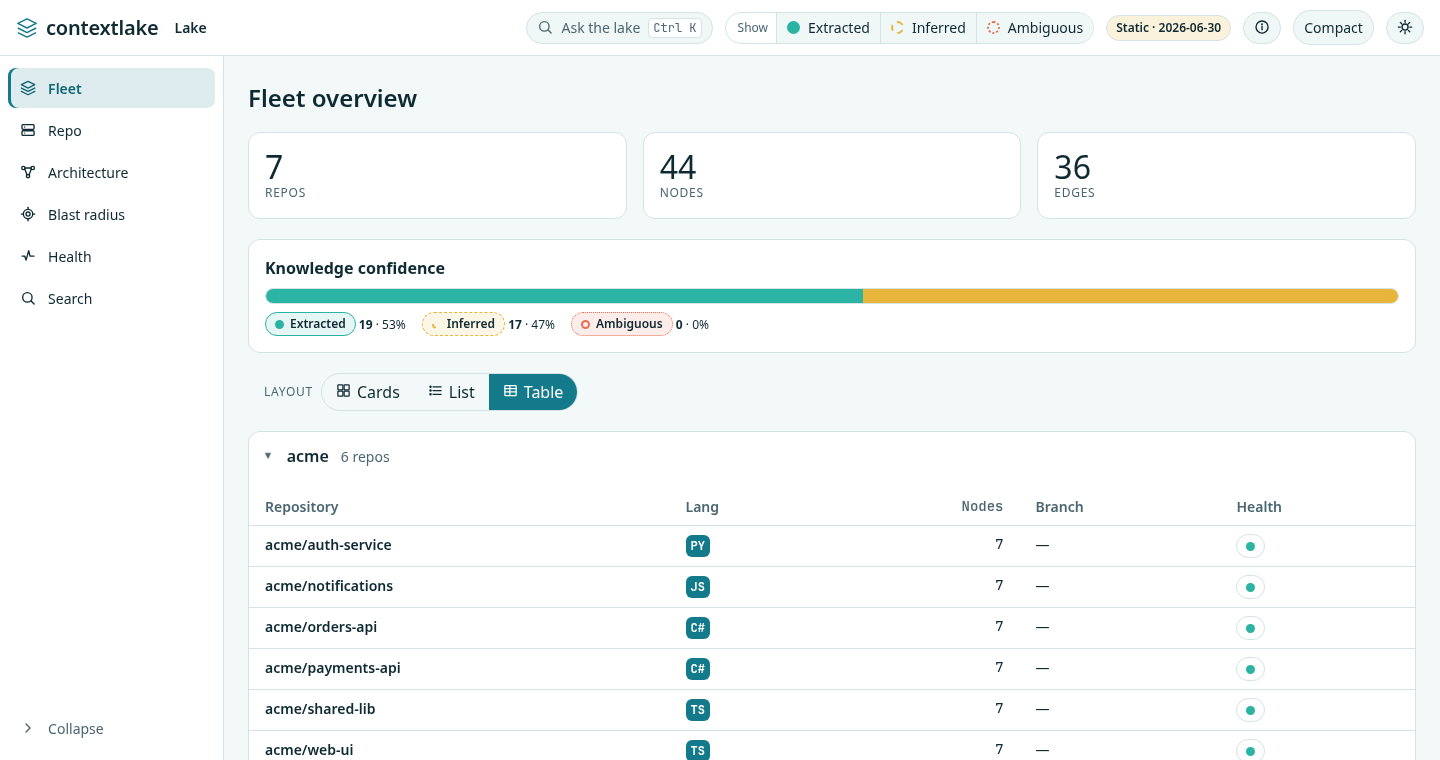
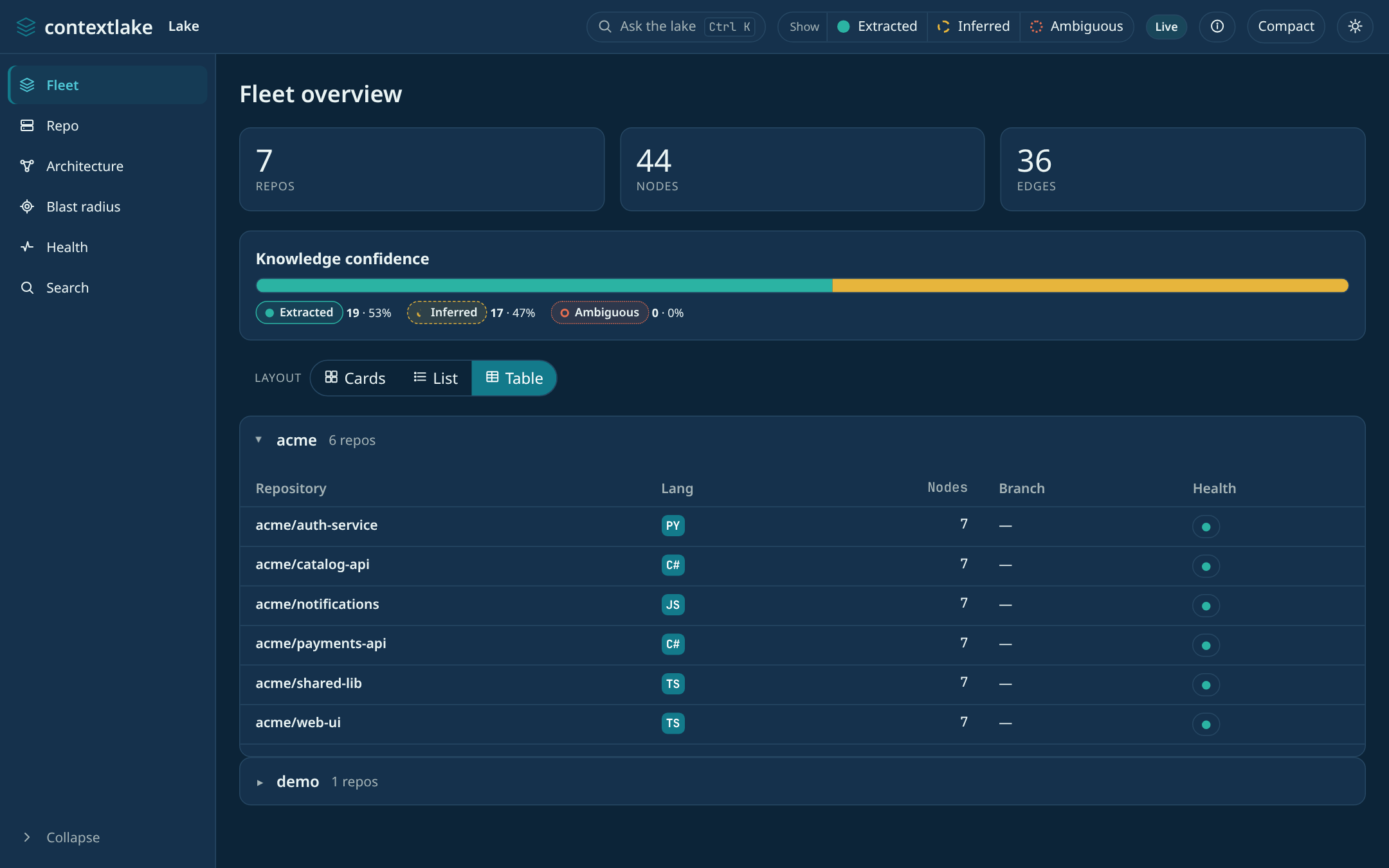
Prefer denser views? Switch the layout, Cards / List / Table (your choice is remembered):
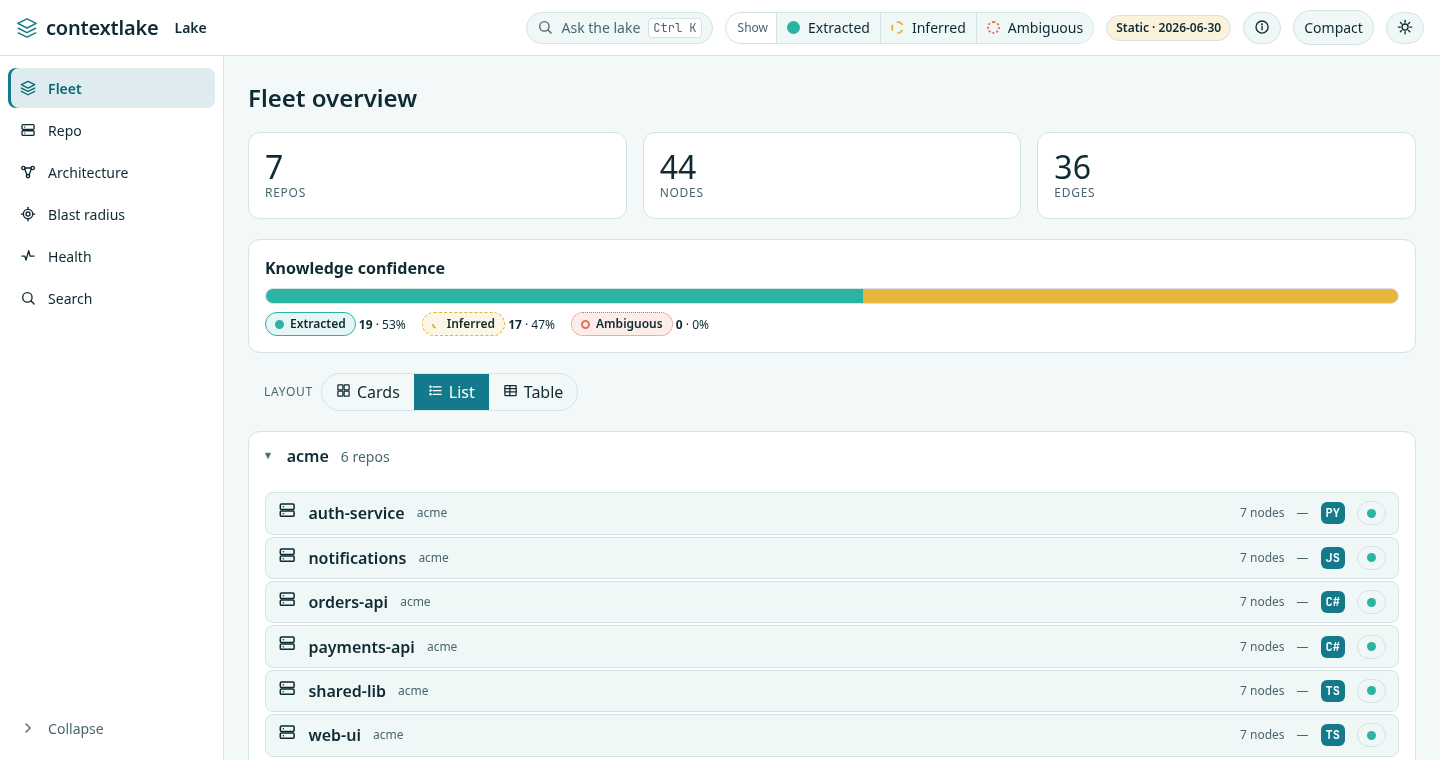
Fleet overview, list layoutFleet overview, list layout

Fleet overview, table layoutFleet overview, table layout

Not sure what a control means? The ⓘ "What am I looking at?" button explains nodes, edges, the three confidence levels, and the Live vs. Static data source:
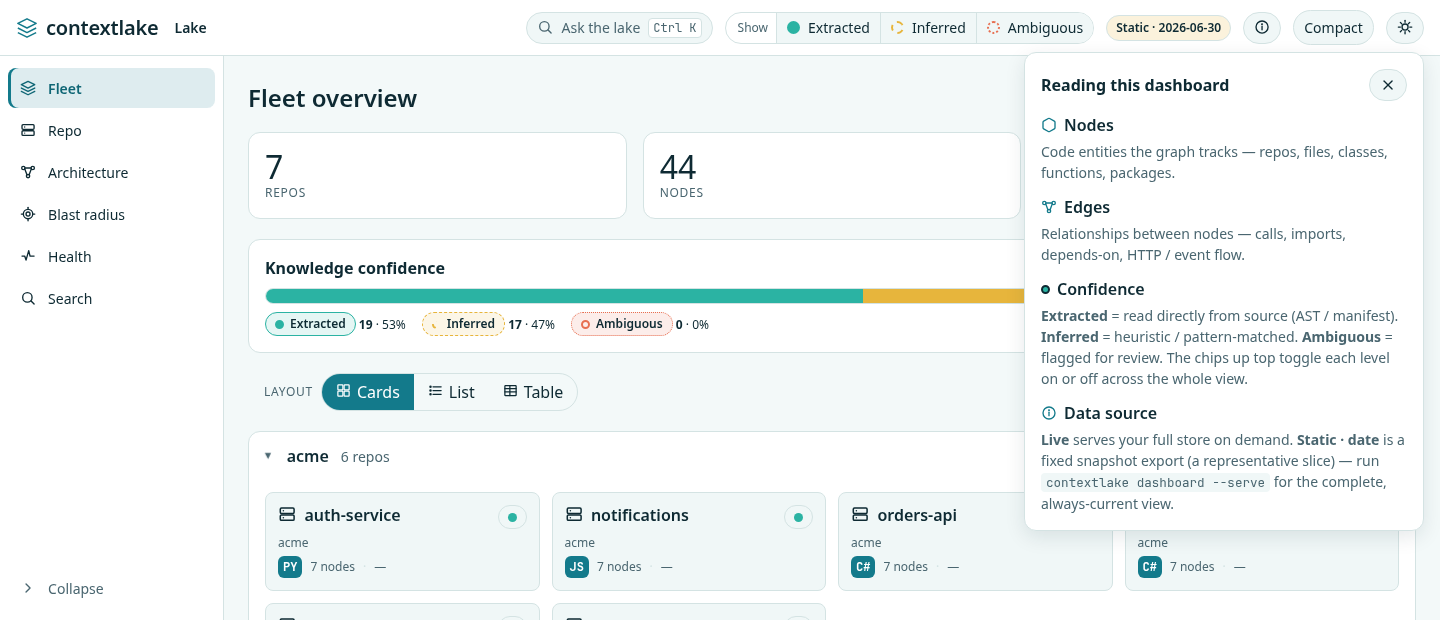
The info popover explaining nodes, edges, confidence, and data sourceThe info popover explaining nodes, edges, confidence, and data source

4. A repo up close#

Click any repo for its anatomy (node kinds and top symbols) plus README, curated wiki, owners (ranked from git history), and connector links. Every symbol has a one-click Blast radius, and every fact carries its provenance.
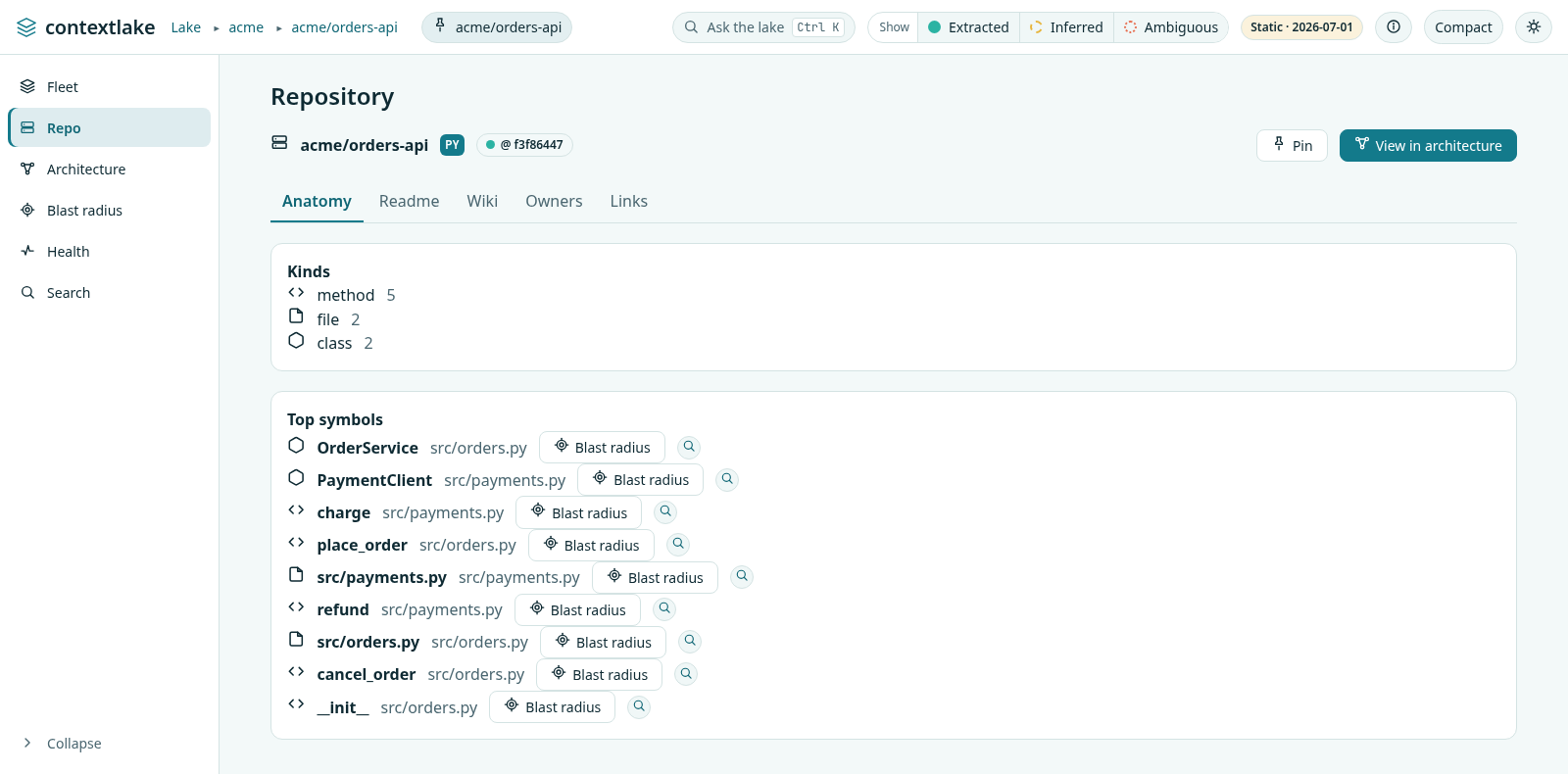
A repo's anatomy: kinds and top symbolsA repo's anatomy: kinds and top symbols

Below Top symbols, a Hotspots section ranks the same call-graph degree data two other ways: hubs (most depended-on, worth protecting with tests) and dispatchers (widest fan-out, where behavior branches). Nothing new is extracted; it's the same index-time centrality data, split by direction instead of combined.

5. Diagrams#

A repo's Diagrams tab renders the same Mermaid text contextlake kb graph --repo <id> --format <fmt> produces, inline as SVG: Relations (the generic relation graph, always available), Classes (classes/interfaces/structs/enums and their methods), States (an entity's guarded state-machine transitions), Data model (SQL table/ view definitions and their foreign keys), and Deployment (Terraform/HCL resources grouped by inferred category: network/compute/storage/database/security/other/module, other being the fall-through for a resource type no keyword list claims).

A sixth format, Sequence (--format sequencediagram), needs a single symbol as its seed rather than a whole repo, so it isn't offered here, it's on the symbol page's Call sequence card instead (§7).

No new extraction: each tab renders data index already collected. A format is only enabled when the repo actually has the relevant node kind (e.g. Classes stays disabled for a repo with no classes), this is read from the same anatomy census the repo page's Kinds card already shows, not a separate check. The raw Mermaid source sits below the rendered diagram with a one-click copy, for pasting into a PR or design doc.

A repo too large to draw in one slice auto-narrows to its largest module instead of showing a truncated whole-repo tangle, and if that module is itself still too large, it keeps narrowing into that module's own largest child, one level at a time, until the view fits (or there's genuinely nowhere further to go). A breadcrumb trail (Whole repo › src › payments › tests) shows the path taken; click any earlier crumb to widen back out, or pick a different child from the narrow-further control to explore a sibling.

Live-only (not part of a --site export, same as MCP console/Settings below), Mermaid itself is lazy-loaded into the page only the first time this tab is opened.

6. Architecture & relationships#

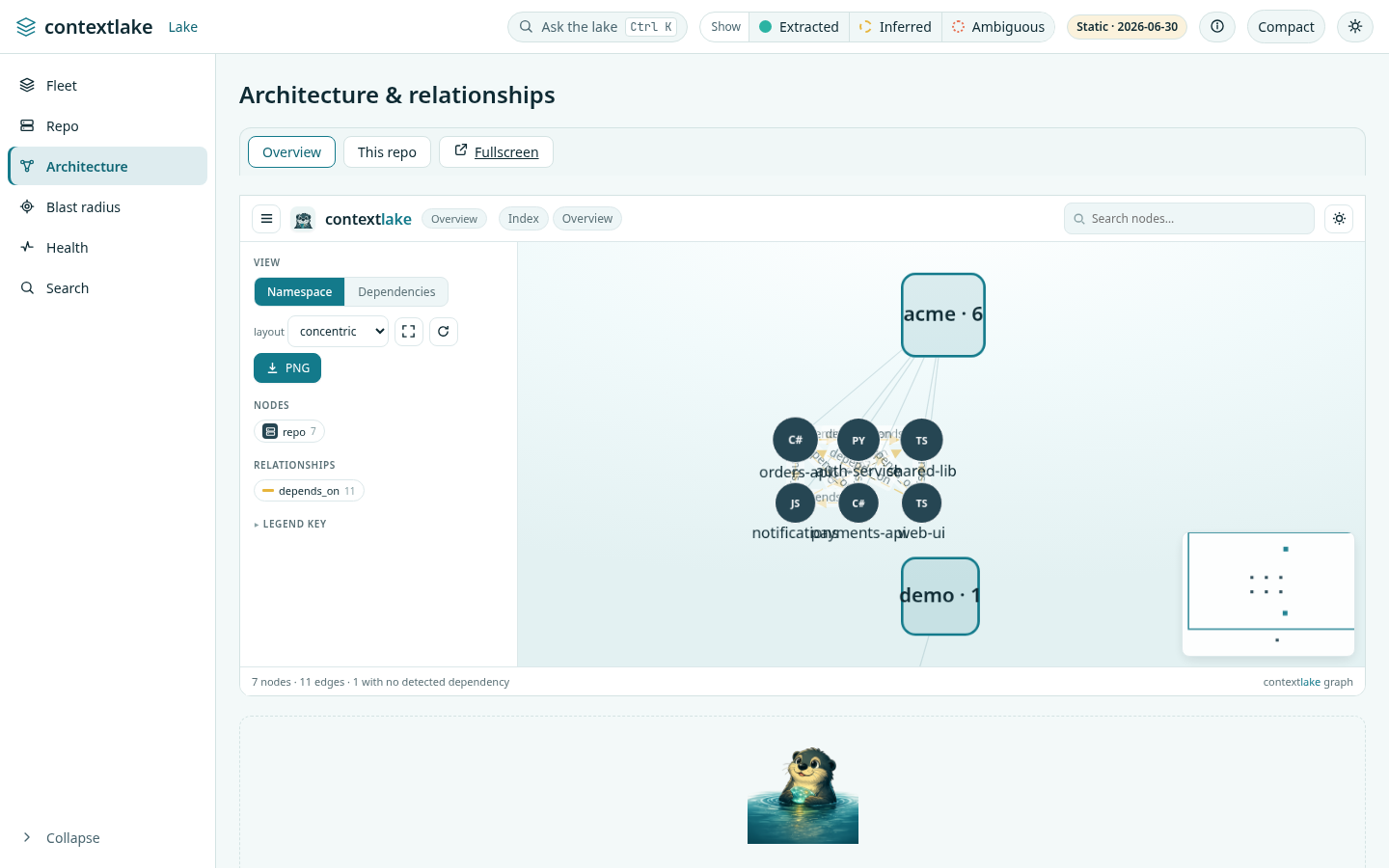
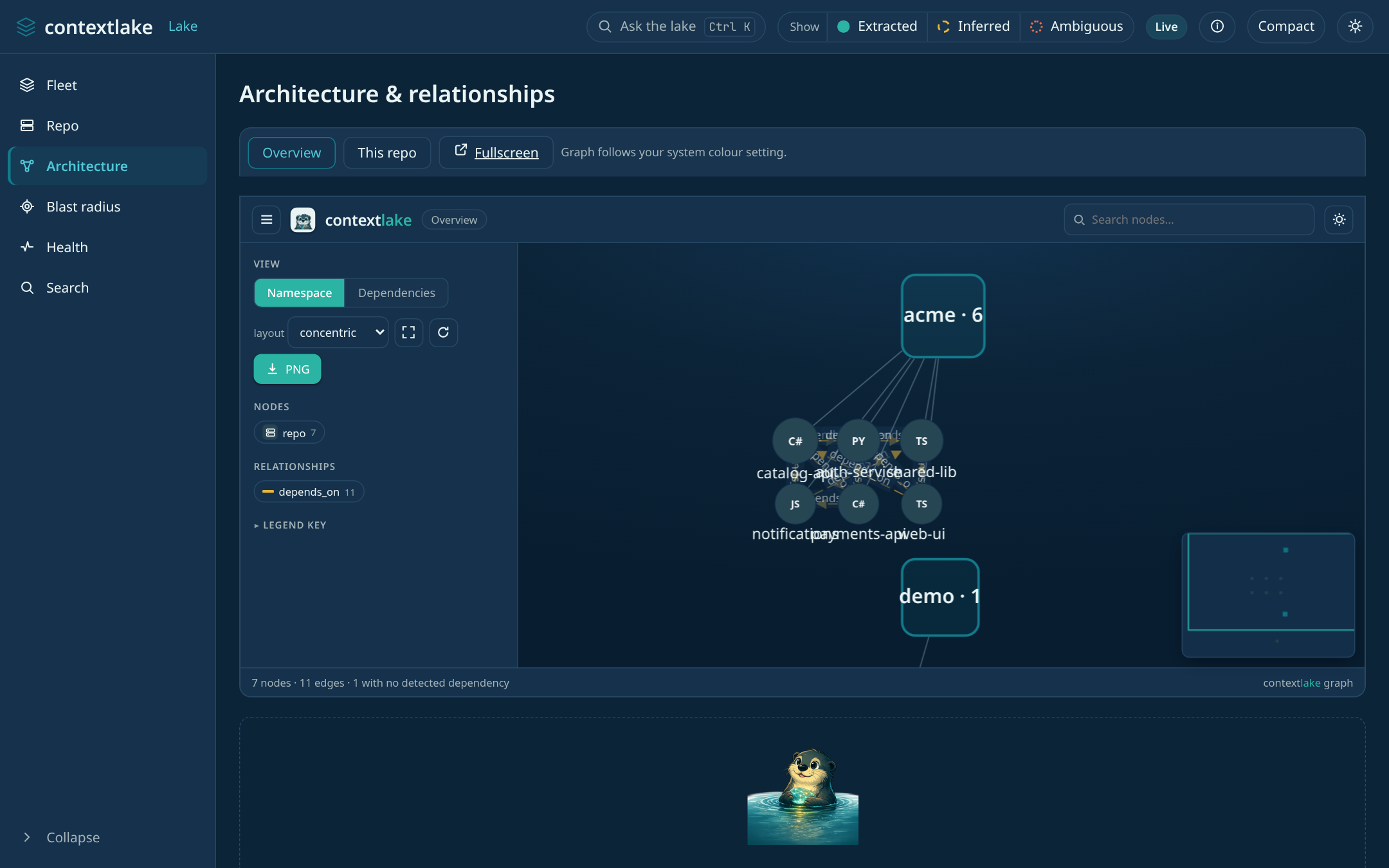
The cross-repo dependency graph, a namespace mindmap and a dependency flow, one interactive graph, alongside dependency / HTTP-flow / event-flow tables, each with confidence and provenance (never shown as ground truth).
A repo page's tables add a fourth tab, Data flow: which files read or write which SQL tables/views inside that one repo. Unlike the other three, this isn't a repo→repo edge, dependency/HTTP-flow/event-flow join on a node shared across repos (a package, an endpoint, a topic), but a table/view definition is only ever known within the repo that defines it, so a file's read/write only ever resolves inside its own repo. Data flow is therefore always scoped to the repo you're looking at, never cross-repo.

Data flow is also live-only. It is a separate fetch with its own row shape, and a --site export has no snapshot for it, so the tab is still there and reads "Data flow (unavailable)" rather than "(0)": nothing is missing from your graph, it just is not in the export.

The architecture graph: cross-repo dependenciesThe architecture graph: cross-repo dependencies

7. Change impact (blast radius)#

Pick a symbol (from search or a repo's symbol list) and see what a change would touch, hop by hop, with the confidence of each path. A Call sequence card renders that same neighborhood as a Mermaid sequence diagram (--format sequencediagram, §5) seeded by the symbol you're on.
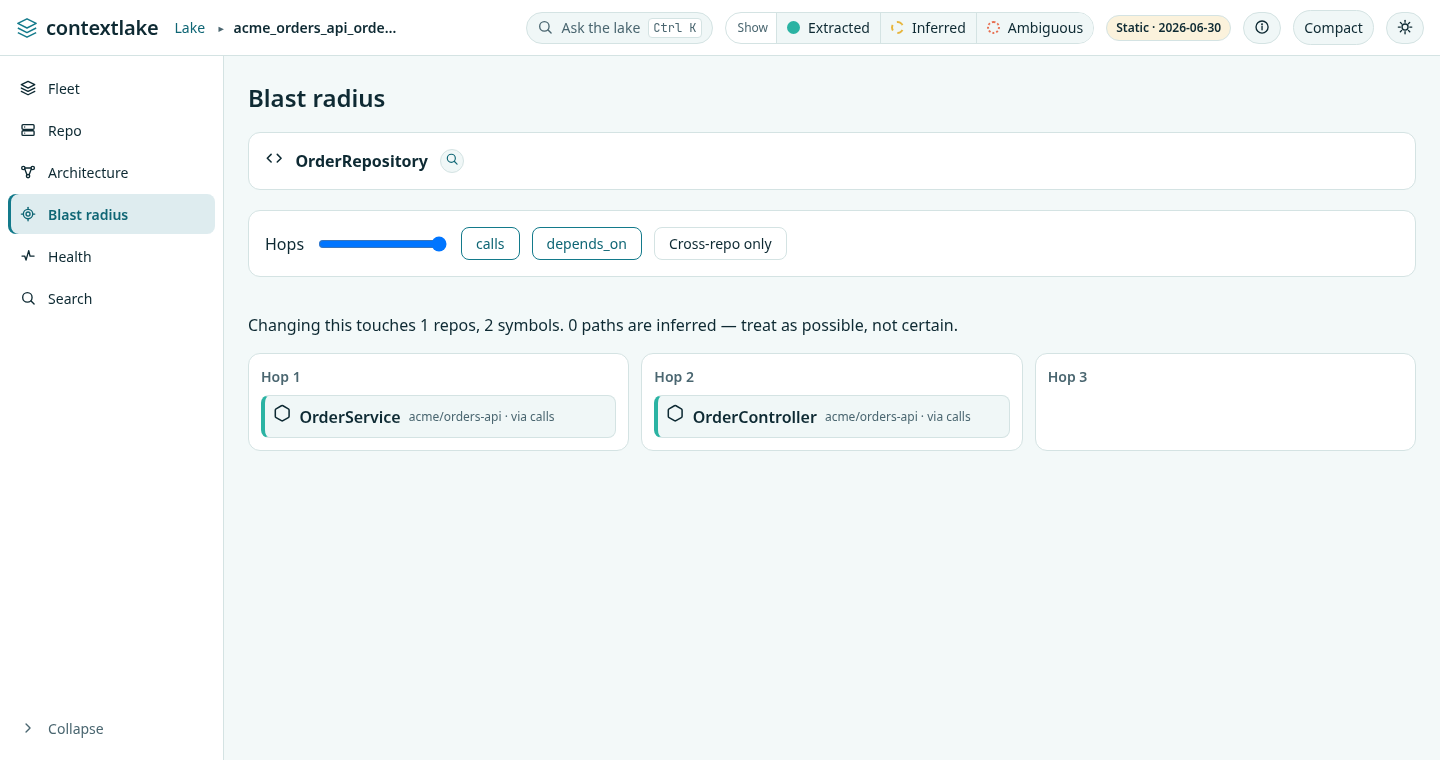
Blast radius: what a change to a symbol would touchBlast radius: what a change to a symbol would touch

The breadcrumb keeps going from there: repo → symbol → Diagram → Wiki → Links → Ticket, one click each to that symbol's repo-scoped architecture graph, curated wiki, and connector links (Jira/Confluence/GitLab). Wiki, Links, and Ticket only appear when they actually apply: an absent wiki, connector link, or per-symbol ticket is omitted from the trail, never shown as a dead crumb. Ticket is distinct from the repo-level Links crumb: it's an issue attributed to this specific symbol (from its own docstring or the git-blame commit message on its defining line, see Connect and enrich), live-JQL confirmed the same way a branch-derived key is. Clicking it opens the real tracker URL directly, not another dashboard view.

8. Path#

Sometimes the question isn't "what does this touch" (§7) but "how does A reach B", a single route, not a diagram. The Path tab takes two symbol names (or node ids) and shows the shortest one, as numbered steps. If a name is ambiguous across repos, it lists the candidates and asks you to narrow (a node id, or a name unique to one repo, resolves straight through); if there's no route within the hop limit, it says so plainly rather than showing an empty diagram.

The Search rail item is a lens in its own right, not just the box that feeds the other tabs. It has two modes, Symbols and Semantic, and a scope toggle that flips between the whole fleet and the repo you were last looking at. Each result row carries the symbol's kind, its qualified name and its repo; clicking the row opens that repo's anatomy tab, and each row also has its own Blast button so you can go straight from a search hit to its blast radius without a detour.

Semantic mode is live-only: in a --site export it says so and points you at the running server. On a live server with no embedder wired up it does not fail either: it returns lexical matches and labels them as such, saying semantic is unavailable, so a result set never claims to be something it is not.

8c. Health#

The Health rail item is the dashboard's view of the same audit contextlake kb lint performs. Four stat tiles (Checked, Stale repos, Unreadable, Dangling edges), and then, only when something is wrong, the detail:

A clean store gets a single "Clear water" panel instead of empty tables. Unlike most of the dashboard, Health is in a --site export too, so a shared snapshot carries the same verdict the live server would have given at export time.

9. Generate a wiki#

No wiki for a repo yet? Its Wiki tab hands you the exact command (one click to copy):

contextlake kb wiki acme/catalog-api --llm builtin

--llm enables the LLM tier inline, builtin runs a small CPU model with no Ollama or API key; on a pip install it needs contextlake doctor --fix llm-local first (see Install and upgrade). ollama needs no compiler at all; openai uses that backend instead. The positional repo id scopes generation to just that repo. Once it's generated, the page renders directly in the Wiki tab, no click-through needed, grounded in the repo's real symbols and (when available) its own README and conventional setup/config files, with a fixed section order (Overview, Setup & Run, Architecture, Dependencies, Gotchas, Decisions; sections with nothing to ground them are left out, never emitted empty), plus an attributed "external context" block from connected sources when there's real data to cite, and a provenance footer citing the exact commit and source files. A STALE badge appears next to the heading whenever the indexed commit has moved since the page was generated, that's always visible, not tucked behind anything.

The Wiki tab: a generated page grounded in real symbols, with a provenance footer citing the commit and source filesThe Wiki tab: a generated page grounded in real symbols, with a provenance footer citing the commit and source files

Large, federated repos (see generate-wiki.md → Per-subsystem pages) get one additional wiki page per qualifying subsystem alongside the whole-repo overview. When any exist, a "Subsystem:" dropdown appears above the wiki content, pick one to swap in that subsystem's own page, or the Whole repo option to go back, without leaving the tab. The dropdown only ever lists subsystems that actually have a generated page on disk, so it never offers an option that would 404. Live-only, like MCP console/Settings above (no --site export).

With --allow-mutations, the Wiki tab (single-repo) and Settings tab (fleet-wide) also carry a Regenerate button, see §11.

See Generate the wiki.

10. MCP console & Settings#

Two read-only panels, live-only (not part of a --site export; both describe this machine/process, not the graph itself):

MCP: the live tool catalog for contextlake kb serve against this store (introspected from the real server, so it can never drift from what's actually exposed), plus a copyable .mcp.json / .vscode/mcp.json snippet for wiring an editor to it.

Settings: the active kb.toml at a glance: store path/size/schema version, the mirror root, configured connectors, and the embedder/LLM tiers. No in-browser editing: it's a summary, not a form; edit kb.toml directly to change anything.

11. Mutating routes#

Everything above is read-only. contextlake kb dashboard --serve --allow-mutations additionally exposes four write actions, each behind an explicit confirm dialog in the browser: Sync now on a repo page (git pull --ff-only + reindex), Add repo on the fleet overview (clone a URL into --workspace + index it), Start / Stop / Restart for a separate contextlake kb serve --transport http process on the MCP console tab (not the stdio server your editor spawns -- this dashboard can't see or manage that one; see below for its bearer token), and Regenerate wiki (single-repo on that repo's Wiki tab, or fleet-wide on Settings, runs the exact contextlake kb wiki CLI as a background process, detached from the request that started it, so it keeps running even if you close the browser tab). Regenerate always shows a real pre-flight count first, "N of M repos will regenerate, the rest are already up to date", before you confirm, and a Force checkbox to bypass that freshness check and regenerate everything in scope regardless (the estimate updates to reflect that before you confirm, too, a fleet-wide Force run can mean an LLM call per indexed repo).

The MCP server this card starts is itself authenticated (see Serve): the HTTP transport requires Authorization: Bearer <token> on every request. Because the dashboard spawns it with its output discarded, the dashboard mints that token instead of letting the server print one, and the card shows it alongside the endpoint, that card is the only place it appears. Restart mints a new one, so any client pinned to the old token must be re-pointed at the value the card then shows. The token is kept in <store>/dashboard/mcp-server.pid, created 0600, so it survives a page reload.

Refused outright with --sample (the demo fleet is fictional -- nothing on disk to sync/clone) and with any non-loopback --host (127.0.0.1, localhost and ::1 are the loopback binds; mutating routes are loopback-only by design). A random per-launch token is minted at startup and wired into the served page; every POST must carry it in an X-Contextlake-Token header matching exactly, and the request's Host header must name this host:port -- both close the classic localhost-server holes (a form-encoded POST from any open browser tab, and DNS rebinding around the loopback bind, respectively). A mutation takes the store's single-writer lock for its own duration only, so a concurrent CLI command sees a clean 409 instead of an interleaved write.

The MCP server those Start/Restart actions spawn is constrained to a loopback bind and an unprivileged port (1024-65535), whatever the request asks for. That transport has no authentication of its own, so a caller-chosen bind would let one token turn this loopback-only dashboard into a public graph server that outlives it.

The Host check applies to every request, GET included, and to every route including the static assets -- the read API is your whole code graph, and the served dashboard.js carries that per-launch token. The same rule now guards contextlake kb graph --serve's pages. Practical consequence: a request is answered only when its Host is the address you bound (--host) or localhost, each with the port. If you bind a wildcard (--host 0.0.0.0) and then browse the machine's LAN address, you'll get 403 forbidden -- bind that address instead (--host 192.0.2.10), or reach it as http://localhost:PORT.

12. Chat#

Ask a question about the fleet in plain language -- "who calls X", "what depends on Y", "explain repo Z". Two layers, always shown together:

If a question fails outright (a network hiccup, the server restarting mid-request, and so on), that turn shows a Retry button instead of leaving you to retype it, it resends the same question in place.

--llm-chat is opt-in at server start, never toggled per-question: it mints the same per-launch token --allow-mutations uses (§11), and every chat request while it's on must carry that token -- a page other than this dashboard can't silently trigger a paid call. The free layer needs no token, same risk level as any other read-only /api/* route. Live-only, like MCP console/Settings above (no --site export).

Loopback host only, for the same reason --allow-mutations is (§11): that token is served inside /dashboard.js, so on a non-loopback bind anyone who can reach the port can read it and spend your provider budget. --llm-chat --host 0.0.0.0 is refused at startup.


Everything here runs entirely on your machine, and is read-only unless you opt into --allow-mutations (§11) or --llm-chat (§12, which sends questions to your configured [llm] provider -- everything else stays local).

Next steps